Auto-translated ·
Features
Menu access: A discreet utility housed within your menu bar.
Monitoring: Calculates folder sizes in real-time for Logs, Cache, Xcode, etc.
Visual feedback:
The progress bar shows usage corresponding to your set limits.
Flashing icon: The menu bar icon flashes when your trash size exceeds the limit.
Interactive labels: Click on any category name to immediately open that folder in Finder.
Selective cleaning: Selectively clean specific categories.
Automation:
Auto-scanning: Checks effective size every 60 seconds (background priority, does not affect SSD).
Global Hotkey: Activate cleanup instantly with Cmd + Ctrl + Shift + C.
Launch at login: Automatically start with your system.
Privacy & Permissions:
Transparency is key. This application accesses specific folders on your Mac to calculate sizes and perform cleanup actions. It does not collect, transmit, or share any personal data.
Accessed folders
CleanMyLogs requires Full Disk Access to function correctly (especially for Trash and Cache). It only operates on the following user directories:
Category path actions
System Logs ~/Library/Logs Clear all log files.
App Caches ~/Library/Caches Clear application cache files.
Installer ~/Downloads Only scans and removes .dmg and .pkg files.
Xcode Data ~/Library/Developer/Xcode/DerivedData Clear Xcode build artifacts.
Xcode Archives ~/Library/Developer/Xcode/Archives Clear old application archives.
Homebrew ~/Library/Caches/Homebrew Clear cached Homebrew packages.
Trash ~/.Trash Permanently delete all items in the Trash.
Note: For "Time Machine", the application uses the tmutil command which requires Administrator privileges (you will be prompted to enter your password).
More from Đinh Trung Kiên

Related products

Spark Linux
1 hệ điều hành được phát triển ở Việt Nam, chuyên về hiệu năng và UI
91

Storm.
Ứng dụng thời tiết và cảnh báo
70

MeoBoost
⚡ Optimize Windows 10/11 for maximum gaming performance
60
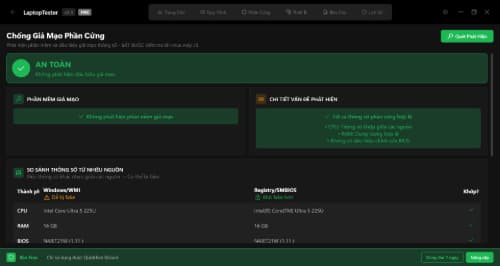
LaptopTester
Kiểm tra laptop chuyên nghiệp
65
DBA Noise Meter
Đo Độ Ồn
60

CutStick
Tách sticker hàng loạt chỉ trong 1 click
53

CleanMyLogs
Ứng dụng dọn dẹp Mac gọn nhẹ
13
Reviews & comments